Image to SVG: turn a PNG or JPG into a clean vector, free
You have a logo or a drawing as a PNG or a JPG, and you need a vector SVG: for cutting, for printing, or for a clean edit. You are in the right place. makerito has a dedicated tool that reads your image and gives you an SVG made of flat colors, in your browser.
What the tool does
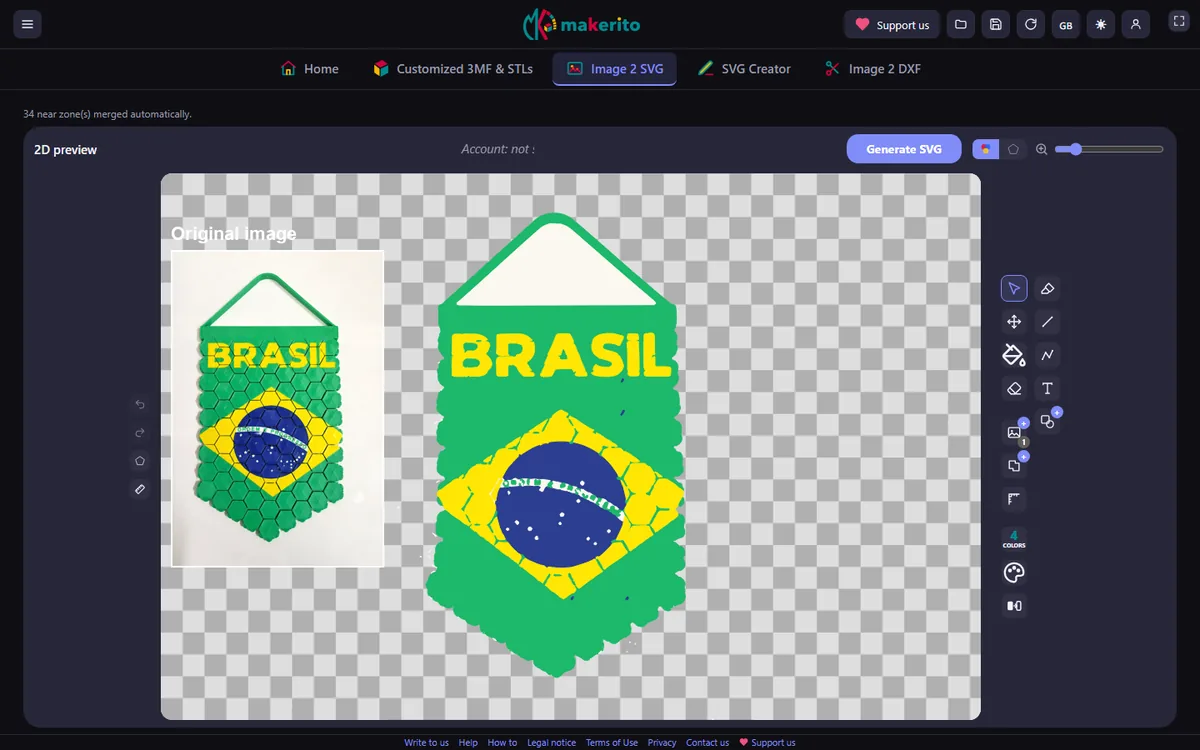
You give it a PNG or a JPEG. It detects the colors, merges close shades, and traces the zones as vector shapes. The result is a file of flat colored areas, like a logo, rather than a photo.
You also get the outlines. Each conversion gives you two files to download: the colored version and the outline drawing. The outline drawing is a black line drawing, one line per zone border.
How to convert an image
- Open the tool with the button below, and load your PNG or JPEG.
- Let it merge close shades. With "Automatically merge nearby zones" ticked, the tool merges adjacent zones of similar color for you. Untick it if you want each possible merge proposed separately for approval.
- Look at the preview. It is a 2D view, and you can switch it between the colors and the outlines.
- Fix what you need. Merge or replace colors in the palette. In edit mode, you can repaint a zone by clicking it. The palette follows the same rules as in the 3D editor: see how colors are picked.
- Set the size of the drawing in millimeters, if you plan to cut or print it. You can also add a background, or a text.
- Generate and download the SVG.
Watch the 1-minute video · Open the image to SVG tool →
Which images work best
A sharp image with a few solid colors gives a clean vector: logos, icons, flat illustrations, drawings with clear edges. A photo or a gradient creates a crowd of tiny zones, because each shade becomes a shape. If you start from a photo, expect a poster-like result and reduce the number of colors.
If your image has transparent areas, a PNG keeps them and gives a better cut-out than a JPEG, which cannot be transparent.
What to do with the SVG
- Use it as the logo on a 3D template. See the multicolor 3D printing guide.
- Cut it. Turn it into a file for a cutting machine, as described in the cutting machines guide.
- Draw on it. Add shapes, a background and a text before you export.
Questions
Which files can I load? PNG and JPEG.
Why does my JPG look rough? JPEG compression blurs edges, and the tool sees those blurred pixels as extra shades. Start from the PNG if you have one.
Is the SVG the same size as my image? Not necessarily. You set the output size in millimeters.